
One document, always current.
There's one page and it's always the latest version. Each instruction you give ("draft", "tighten", "add an example here") is applied to that page. Select some text first if you want to aim at a particular passage.
A writing app for the Mac
You remain the author.
Margins puts an AI agent beside your document. It marks up the page like a good editor would, and every change waits for your call.
Why not just use chat?
You ask for a draft and get one. You ask for a summary at the top and get the whole thing back, slightly different. Three turns later the good intro is gone and you're scrolling up to find it. The document ends up spread across a dozen replies, and the only way to change anything is another prompt.
A chat window churning
Margins calm
Summary. Per-key token-bucket limits at the gateway; 429 with Retry-After.
Problem Our public REST API has no limits. One client can exhaust database connections for everyone.
Approach We'll probably add limiting somewhere. Redis-backed token bucket per API key: 100/min, bursts to 200.
Rollout Shadow mode for a week, then enforce for new keys first.
②Add a summary at the top
The actual app
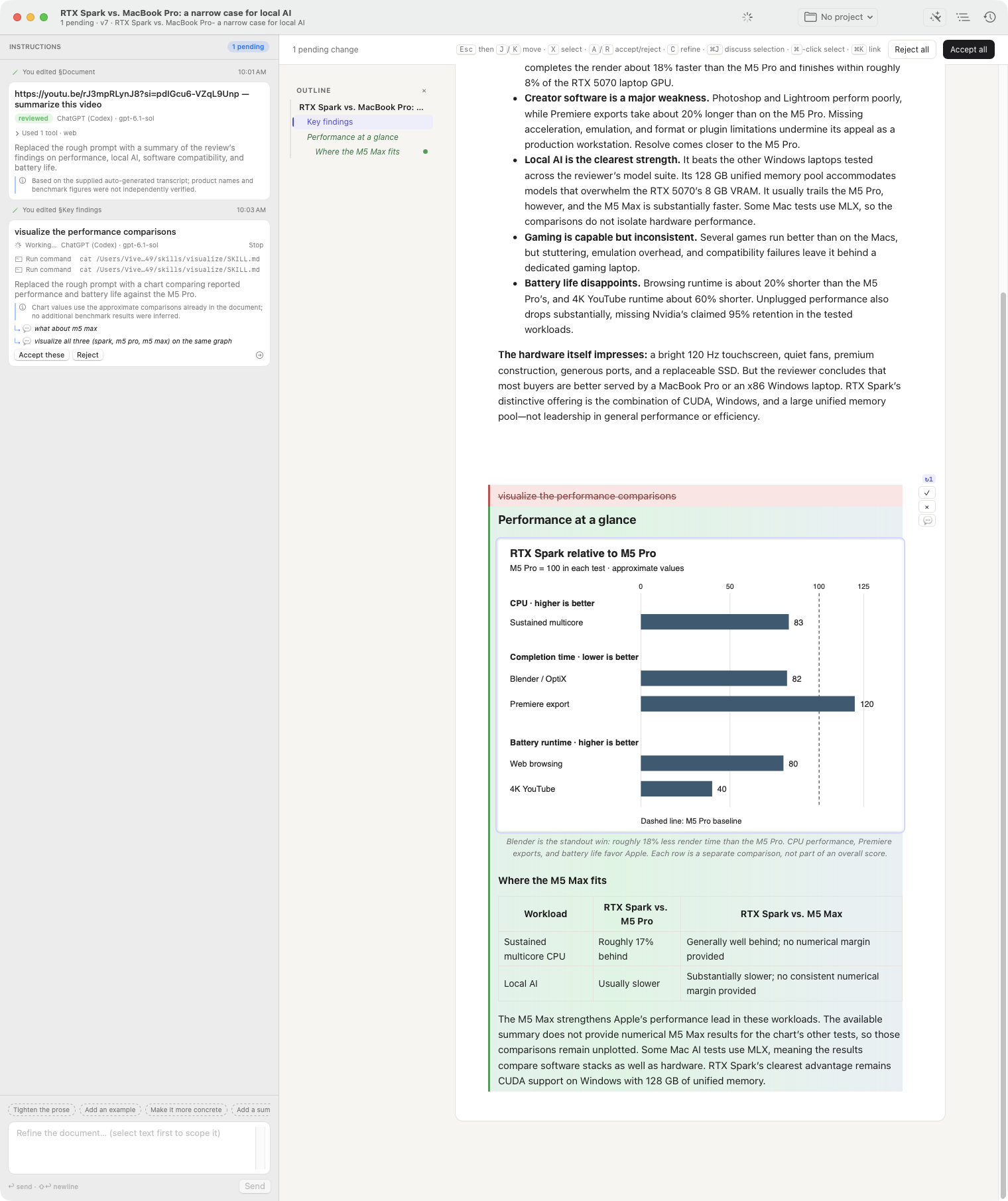
An unretouched window. I asked the agent to visualize the performance comparisons in a review I was writing. The chart came back as one pending change, waiting on me.
Hover or tab through the parts
How it works
There's one page and it's always the latest version. Each instruction you give ("draft", "tighten", "add an example here") is applied to that page. Select some text first if you want to aim at a particular passage.
Additions in green, deletions struck through, grouped under the instruction that caused them. Accept one, everything from an instruction, a handful you pick, or the lot. J, K, A and R work from the keyboard.
The agent's edits wait for you. The one exception is the first draft of an empty page, since there's nothing there yet to protect.
Fix a typo yourself. Tell one change to be shorter and leave the rest alone. Highlight a paragraph and press ⌘J to ask about it in a thread off to the side.
"add summary at top", "accepted 3 changes", "edited §Approach". History records who made each change and why, and you can preview or restore any of them.
Margins runs the official Copilot, Codex and Claude command-line tools on the plan you already pay for. Your documents are ordinary files in ~/Documents: a .margins file and a plain .md copy.
Under the hood
It can search the web, fetch pages, read files and, if you allow it, run commands. You watch it work on the instruction card instead of in a transcript. Point a document at a project folder and say "implement this", and it will edit the code too. Whatever it ends up doing, the changes to your document still arrive as suggestions.
③ make the approach concrete: numbers, not maybes✓web_search "token bucket vs sliding window"✓fetch docs.stripe.com/rate-limits✓read gateway/config.yaml?run `go test ./limiter/...`✓plan: 2 edits · "concrete limits"→2 pending changes
Bring your own subscription
| Name | Command | Note |
|---|---|---|
| Copilot | copilot --acp | Every model your plan includes. |
| ChatGPT | codex exec | Plus, Pro or Team, via Codex. |
| Claude | claude -p | Pro or Max, via Claude Code. |
| Local | /v1/chat/completions | Ollama, LM Studio, any compatible server. |
Copilot, Codex and Claude Code handle their own sign-in. For an HTTP endpoint, Margins stores an optional API key in the macOS Keychain.
Download Margins, give it an instruction, and start marking up what comes back.
macOS 14 Sonoma or later · Apple silicon